
Morocco is one of the rare countries where a customer can write to you in Arabic, call you in Darija, and visit your website in French — and all be the same person. This linguistic reality is an opportunity, but it also raises a concrete question: how do you create a website that genuinely speaks to all your audiences?
In 2026, a French-only website loses part of its Arabic-speaking local audience. An Arabic-only site closes the door to international clients and Moroccans who browse in French. And without correct SEO configuration, even a well-translated site can be invisible on Google.
This guide explains how to create a multilingual website in Morocco technically, strategically, and without mistakes — with the right plugins, proper hreflang SEO practices, Arabic RTL management, real costs in dirhams, and the errors that cause traffic and credibility loss.
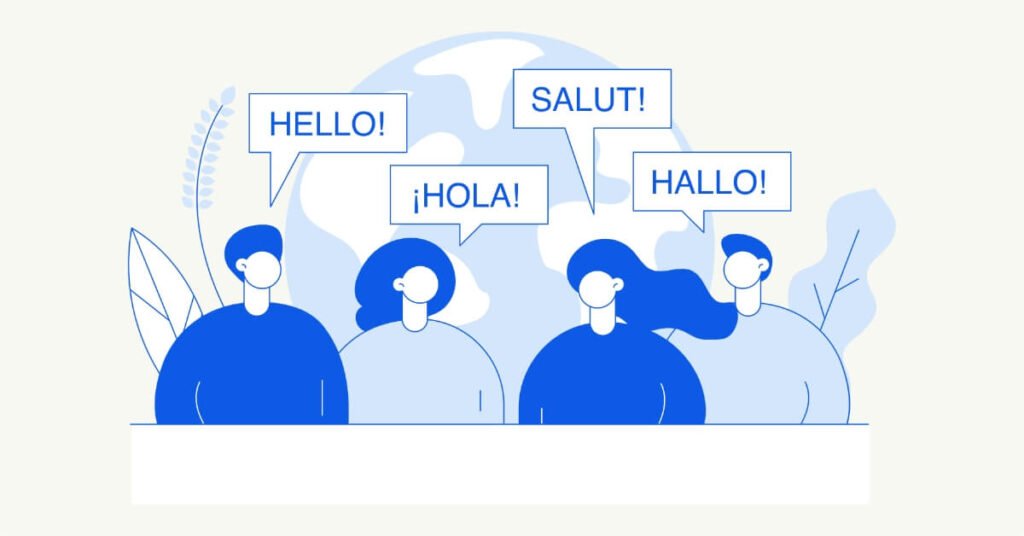
Three concrete reasons — not generalities:
No need to do everything at once. Choose based on your actual audience:
| Business Profile | Recommended Languages | Priority |
|---|---|---|
| Local business (Casablanca, Rabat, Marrakech) | French + Arabic | Bilingual from the start |
| National e-commerce | French + Arabic | Bilingual — Arabic priority for COD and broader audiences |
| Tourism, hospitality, crafts | French + English (+ Arabic optional) | English priority for international clients |
| Export, international B2B services | French + English | English essential |
| Pan-African ambition | French + English + Arabic | Trilingual depending on target market |
This is a technical decision that directly impacts SEO and is difficult to change after the fact. Three options:
Our recommendation: subdirectory structure for 95% of Moroccan websites — simple to configure with WPML or Polylang, easy to maintain, optimal for SEO.
Direct answer: both, but not in the same way.
WordPress is the CMS used by the vast majority of Moroccan websites. Here are the two plugins that dominate the WordPress multilingual market:
| Criterion | WPML | Polylang |
|---|---|---|
| Price | $39–$199/year depending on plan | Free (basic version) / $99/year (Pro) |
| Ease of use | Complete but dense interface | Simpler, gentle learning curve |
| WooCommerce | Excellent — dedicated WooCommerce Multilingual module | Compatible but less complete for e-commerce |
| Integrated auto-translation | Yes (DeepL, Google Translate integrated) | Yes in Pro version |
| RTL management (Arabic) | Yes, natively | Yes, with RTL-compatible theme |
| Hreflang support | Automatic and complete | Automatic in Pro version |
| Performance (speed impact) | Moderate (heavier plugin) | Light (less TTFB impact) |
| Best for | E-commerce, complex sites, multi-users | Showcase sites, blogs, small stores |
Our recommendation:
For more details on WooCommerce and e-commerce platforms in Morocco, read our guide WooCommerce vs Shopify in Morocco .
Arabic is an RTL (Right-to-Left) language. It’s not just a language change — it’s a complete redesign of the layout. Elements to adapt:
Add the dir="rtl" attribute to the <html> or <body> tag for the Arabic version, and lang="ar" for the language attribute. CSS best practices:
/* In your CSS for the Arabic version */
[lang="ar"] {
  direction: rtl;
  text-align: right;
  font-family: 'Noto Kufi Arabic', 'Cairo', sans-serif;
}Avoid Latin fonts that “support” Arabic — the rendering is often mediocre.
Tip: choose a WordPress theme that natively supports RTL (Astra, Kadence, GeneratePress, Divi all support RTL). This avoids hours of manual CSS work.
Hreflang tags tell Google which version of your page to display based on the user’s language and country. Without them, Google might show your French page to an Arabic speaker, or your Arabic page to an international visitor.
Example of hreflang tags for a trilingual homepage:
<link rel="alternate" hreflang="fr" href="https://mysite.ma/fr/" />
<link rel="alternate" hreflang="ar" href="https://mysite.ma/ar/" />
<link rel="alternate" hreflang="en" href="https://mysite.ma/en/" />
<link rel="alternate" hreflang="x-default" href="https://mysite.ma/" />
Important rules:
x-default tag indicates the default version when no language matchesEach language version must have its own XML sitemap submitted in Google Search Console. WPML automatically generates a sitemap per language. Verify in Search Console that all three sitemaps are properly submitted and indexed.
An Arabic-speaking internet user doesn’t search for the same terms as a French speaker, even for the same product. Example for a Moroccan clothing store:
Keyword research must be done separately in each language — not by translating the French list. For more on SEO strategy, read our guide on natural SEO in Morocco .
| Cost Item | Detail | Indicative Budget |
|---|---|---|
| Technical development | Multilingual plugin configuration, RTL, hreflang, sitemaps | 2,000 – 5,000 MAD (by complexity) |
| WPML plugin | Annual license (Multilingual CMS) | ~400 MAD/year (~$39) |
| Polylang Pro plugin | Annual license | ~990 MAD/year (~$99) |
| Professional translation | 0.50 to 1 MAD/word — 10-page showcase site (~5,000 words) | 2,500 – 5,000 MAD per language |
| DeepL + human proofreading | Good quality/price compromise | 800 – 2,000 MAD per language |
| Arabic RTL design | Theme-specific adaptation | 1,000 – 3,000 MAD (if not included) |
These budgets include technical configuration, plugin licenses, and basic translations. Content translation maintenance (updating content as it evolves) represents a recurring cost to factor in.
Machine-translated pages are recognizable — users leave immediately (high bounce rate) and Google penalizes them via the Helpful Content Update. Even a quick human review radically changes perceived quality and keeps visitors engaged.
Displaying Arabic text in a layout designed for LTR (left-to-right) creates a disastrous experience: overlapping text, mispositioned buttons, unreadable menus. Arabic isn’t just text — it’s an entirely different design system that must be treated as such.
Without hreflang, Google doesn’t know which version to show which user. Result: your French page may appear to Arabic speakers, and your English page to Moroccan visitors. Non-qualified traffic, high bounce rate, negative SEO signal.
Translating “agence web Casablanca” into Arabic and English is a mistake. Arabic-speaking and English-speaking internet users don’t search for the same terms. Genuine keyword research in each language is essential for effective multilingual SEO.
If visitors can’t easily find how to change language, they leave the site. The switcher must be visible in the header, accessible on all pages, and clearly usable on mobile.
For the vast majority of Moroccan projects, a single site with multiple language versions (in subdirectories) is the best approach. It’s simpler to manage, less expensive, and SEO benefits from a single domain’s authority. Separate sites are only justified for very large brands with dedicated teams per market.
Polylang (free version) for simple bilingual showcase sites. WPML for WooCommerce e-commerce, content-heavy sites, or trilingual projects requiring centralized translation management. WPML has better WooCommerce support but is heavier and more expensive.
Not alone. In 2026, Google penalizes auto-translated content without added value. However, DeepL as a base + native human proofreading is a good compromise for standard content pages. For sales pages, landing pages, and the homepage, only professional human translation guarantees conversion.
Browse your site in Arabic mode from a mobile device (which is even more demanding than desktop for RTL). Check that: menus are right-aligned, text is right-aligned, forms are readable, and buttons are correctly positioned. Also test with a native Arabic-speaking user — that’s the most reliable test of all.
For an existing French showcase site of 5 to 10 pages: 2 to 4 weeks including professional translation, technical configuration, RTL adaptation, and testing. For a site built from scratch as bilingual: 4 to 8 weeks depending on complexity.
Slightly, yes. WPML adds additional database queries. The solution: use an effective cache plugin (LiteSpeed Cache, WP Rocket) and a CDN (Cloudflare). With proper configuration, the Core Web Vitals impact is minimal. To optimize your site’s speed, read our guide on website speed optimization in Morocco .
Most Moroccan websites are still monolingual in 2026 — which means every business that launches a correctly configured bilingual or trilingual site gains a real advantage over its competitors. More audience, better SEO, stronger credibility, and access to markets that a monolingual site simply cannot reach.
The project requires preparation and a realistic budget — but the results at 12 and 24 months almost always justify the investment.
WordPress, Shopify, Wix, Webflow, WooCommerce, PrestaShop — there have never been so many options for creating a website in Morocco. That’s good news. The problem: without clear criteria, many businesses choose the ...
The term “web agency” covers very different realities in Morocco. A single person creating WordPress sites from their Casablanca apartment and a 15-specialist team with skills in development, SEO, design, and content ...
A well-built website is a salesperson available 24/7, anywhere in the world. At AzulWeb, we build websites that work for you, even while you sleep.